
Products · In stock on Mouser
Tokay Lite: the ESP32 camera that runs the model on the board
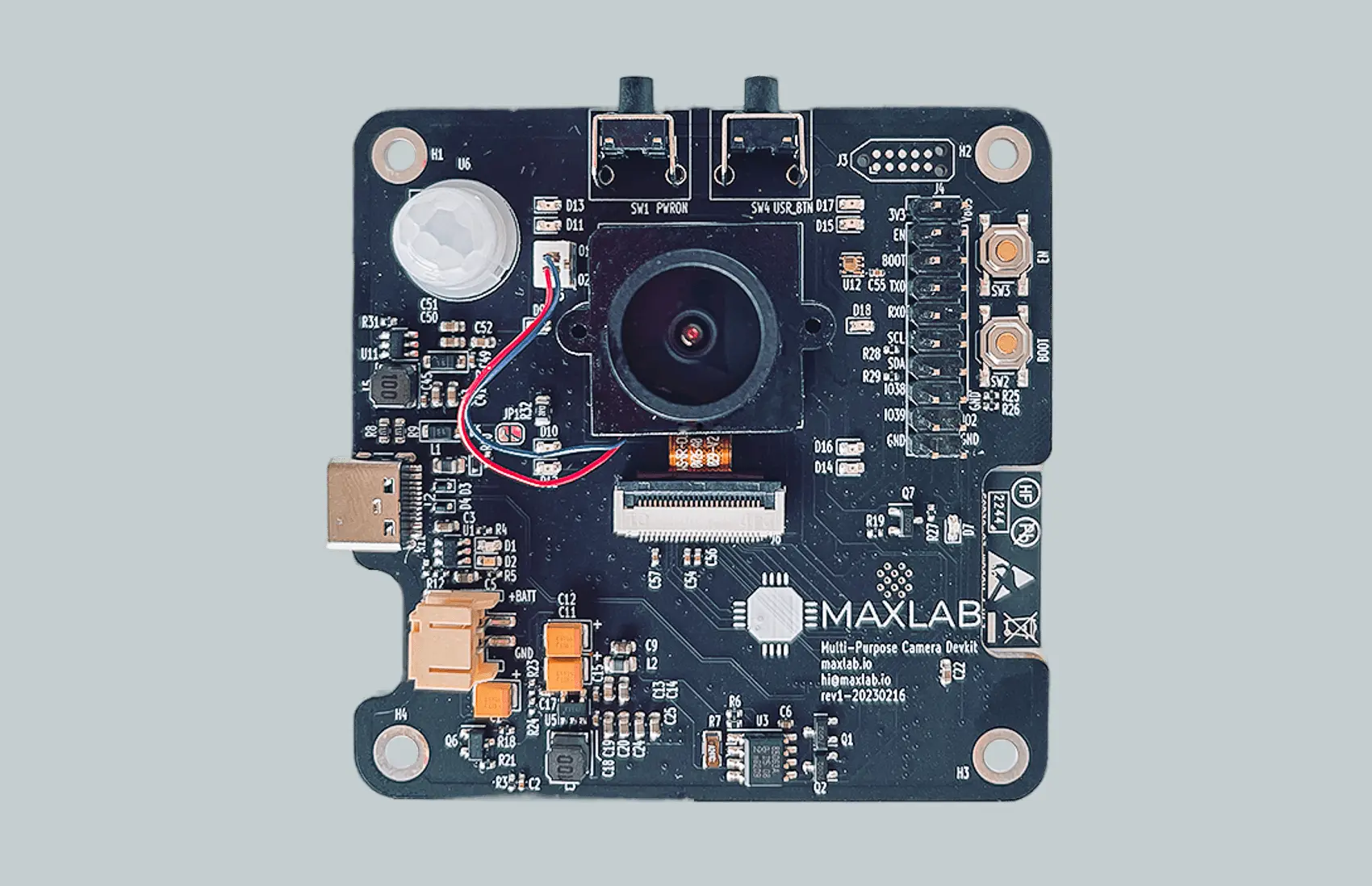
Tokay Lite is an open-source ESP32-S3 AI camera module for devices that live on a battery or a solar panel. A motion sensor or a timer wakes it, it takes the picture, runs face or object detection itself, sends the result and goes back to sleep.
- Microamps in standby. An external real-time clock switches the regulator off between events; the solar roof camera built on this platform runs about six months per charge.
- Sees at night. IR LEDs light the scene to about 10 m, and the board switches the IR filter.
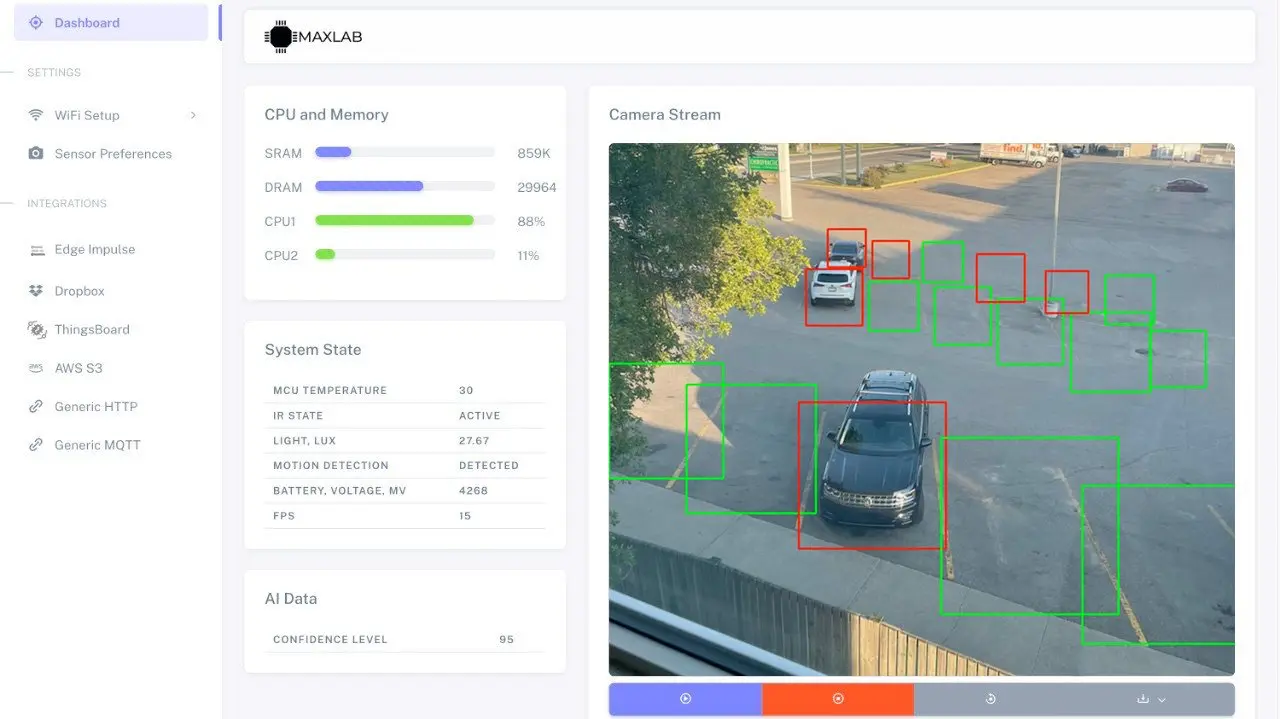
- No code to start. Detection, wake rules and the HTTP or MQTT integration are set on the camera's own web page. Arduino and ESP-IDF are there when you want them.
- 6 monthson one charge for the solar roof camera built on this platform
- 10 mof IR night-vision range from the LEDs on the board
- 8 MBof PSRAM for frames and model weights, twice an ESP32-CAM
- 1–10 fpsface detection on the ESP32-S3, depending on resolution and settings
What the board does
The questions people type about ESP32 cameras, answered for this one. The longer answers are in the FAQ at the end of the page.
Detection runs on the camera
The ESP32-S3 has vector instructions for neural networks, and 8 MB of PSRAM holds the frame and the weights. The board ships with a face-detection model that runs at 1–10 frames per second; you can load your own TensorFlow Lite Micro or esp-dl model, or train one in Edge Impulse and push it over.
It is a detection camera, not a recorder: there is no SD card, and it answers "is someone there" rather than streaming hours of video. For several objects at once or 4K video we build on Tokay Pro.
Wakes on motion, sleeps on microamps
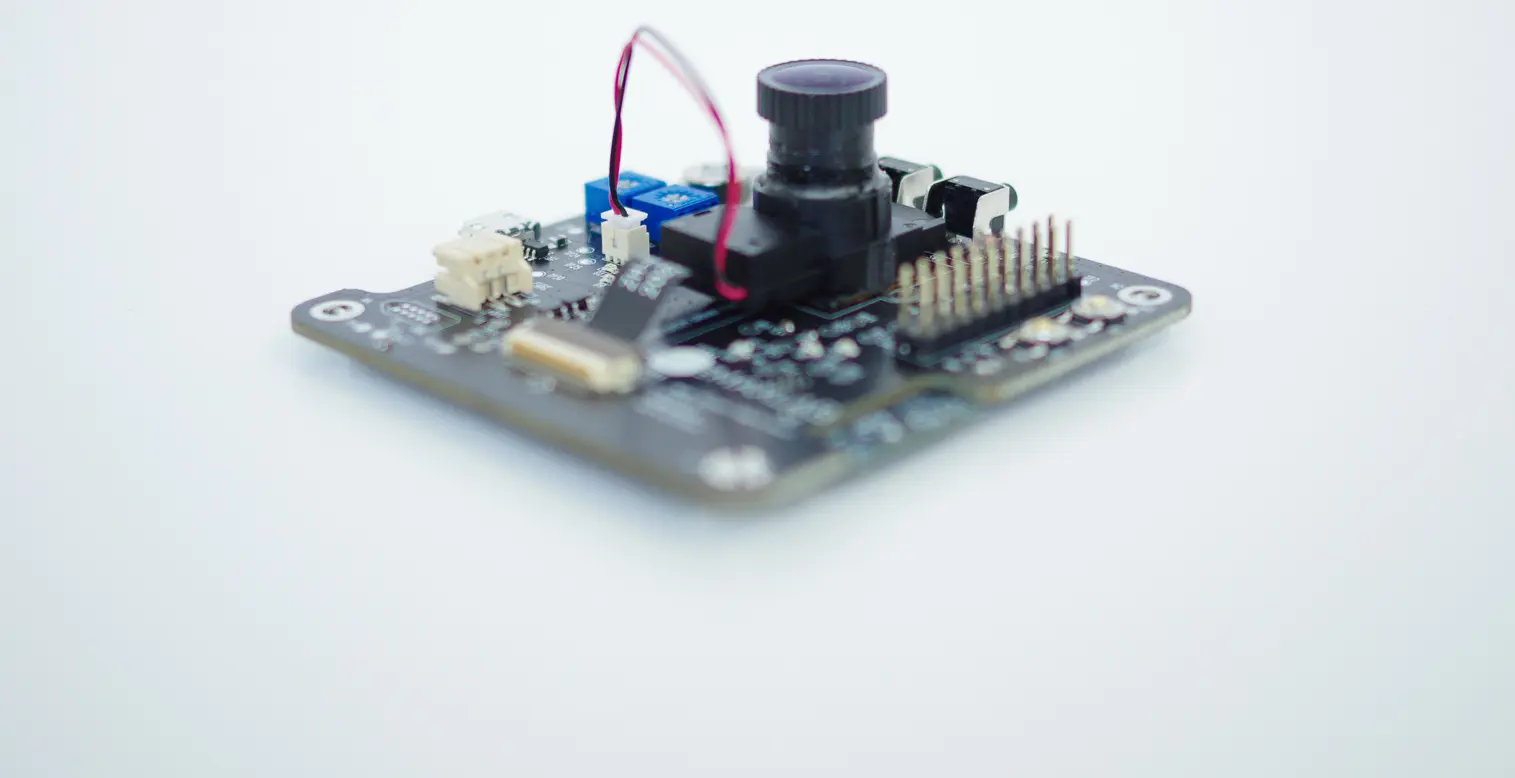
A PIR motion sensor and a programmable real-time clock sit on the board. In standby the clock cuts the main regulator, so the board draws microamps, and either the clock or the PIR powers it back on. A 1-cell LiPo plugs into the JST-PH connector and charges from USB-C.
How long a charge lasts depends on the battery and how often the camera wakes. The roof camera we built on this platform, with a solar panel and a few events a day, runs about six months without attention.
Night vision to about 10 m
Onboard IR LEDs light the scene for the OV2640 sensor, and the board controls the IR-cut filter, so day pictures keep their colour and night pictures come out black and white instead of black. A light sensor tells the firmware which mode to use.
The OV2640 is a 2 MP sensor, the same one on an ESP32-CAM. It is enough for detection and for a picture you can read; it is not a security-grade 4K sensor. Other DVP sensors can be fitted for volume orders.
Sends results over HTTP or MQTT
Wi-Fi and Bluetooth LE come from the ESP32-S3 module. The camera's web page lets you point detections or pictures at any HTTP endpoint or MQTT broker, and has ready integrations for AWS IoT, Edge Impulse and ThingsBoard. Home Assistant picks the results up through its MQTT integration.
Wi-Fi is only needed to send. Detection works with the radio off, and the board has no cloud account of its own; to reach it from anywhere you point it at a broker you can reach, such as our hosted Rainforest IoT.
Tokay Lite compared with an ESP32-CAM
The ESP32-CAM is the $10 board most people start with. It pairs the original ESP32 with the same OV2640 sensor, 4 MB of PSRAM and a white flash LED, and it has a microSD slot. It has no motion sensor, no light sensor, no real-time clock, no IR illumination and no battery connector, so a battery-powered camera built on it needs a second board for each of those.
Tokay Lite puts those parts on one board behind an ESP32-S3, which runs neural networks faster than the original ESP32 and has twice the PSRAM. Pick the ESP32-CAM for a mains-powered experiment with an SD card. Pick Tokay Lite when the device has to run on a battery, see at night and make the decision itself.
- Full comparison: ESP32-CAM vs Tokay Lite (motion, face recognition, night vision, battery life, SD card, price)
- Schematic and layout: github.com/maxlab-io/tokay-lite-pcb (CERN-OHL-P-2.0)
- Firmware and SDK: github.com/maxlab-io/tokay-lite-sdk (Apache 2.0)
- Setup and programming guide: docs.maxlab.io
How one wake cycle works
Every rule you set on the configuration page comes down to this loop. The board spends most of its life in the last step.
Specification
| Item | Tokay Lite |
|---|---|
| Processor | ESP32-S3 module, Wi-Fi and Bluetooth LE, pre-certified (FCC, ISED, CE) |
| Memory | 16 MB flash, 512 kB on-chip RAM plus 8 MB PSRAM |
| Camera sensor | OV2640 on a DVP interface; 0.3, 2 and 3 MP image sizes, RGB or JPEG, up to 15 fps |
| Night vision | IR LEDs to about 10 m, switchable IR-cut filter |
| Sensors | PIR motion sensor, ambient light sensor |
| Timer | Programmable external real-time clock that cuts the regulator in standby |
| Power | 1-cell LiPo on a 2 mm JST-PH connector, charger on board, USB-C input (1 A supply or better) |
| AI runtime | TensorFlow Lite Micro, Espressif esp-dl; face detection included at 1–10 fps |
| Integrations | HTTP, MQTT, AWS IoT, Edge Impulse, ThingsBoard, set from the web page |
| Expansion | SPI and UART headers; no SD card, no microphone |
| Programming | No-code web configuration; Arduino or ESP-IDF with the open SDK |
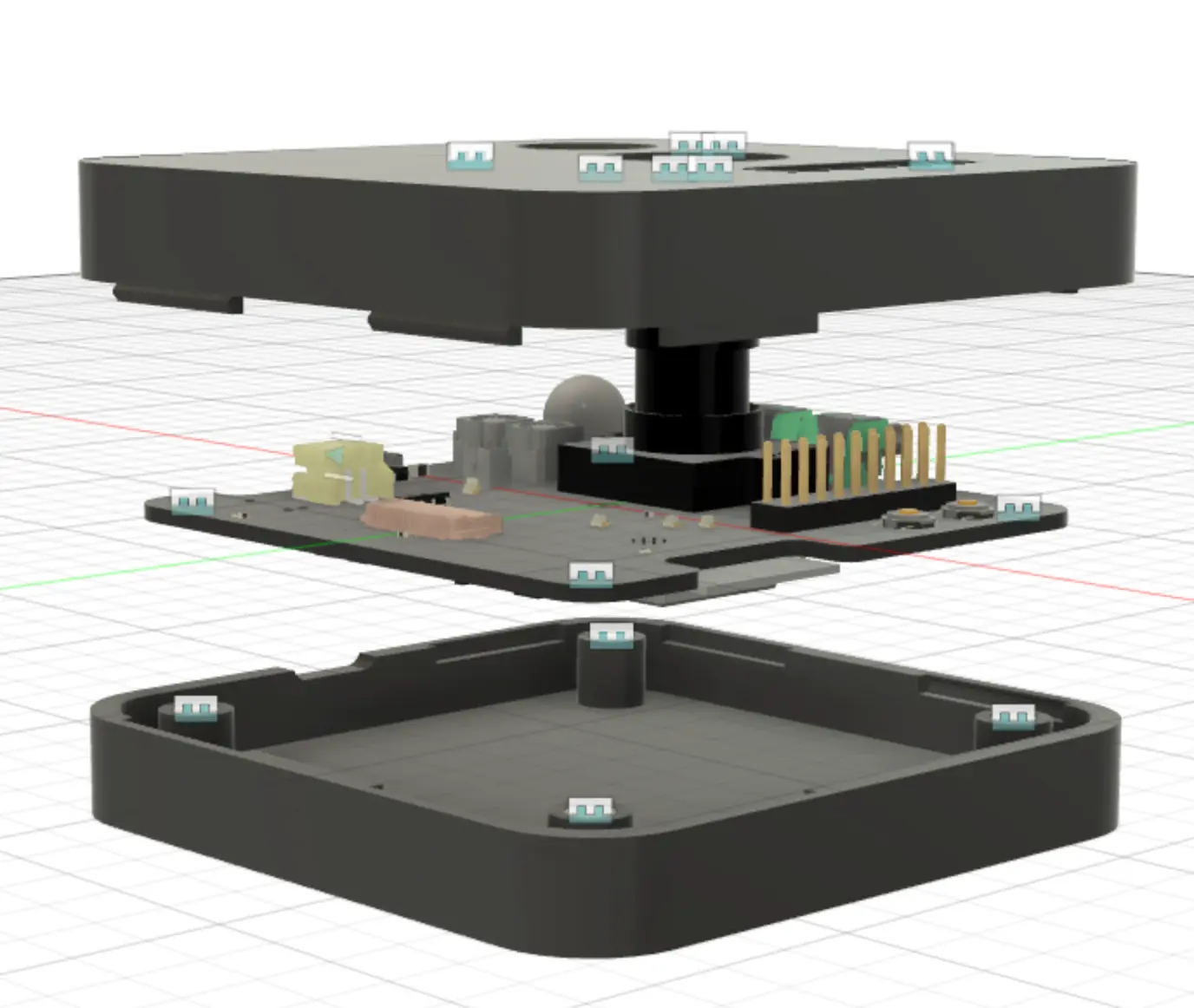
| Operating temperature | −40 °C to +50 °C; enclosure available |
| Licences | Hardware CERN-OHL-P-2.0, firmware and SDK Apache 2.0 |
| Order codes | Mouser TOKAY-LITE-01; CrowdSupply, $102 |
From one board to a product of your own
Tokay Lite is the development board; the same platform has gone into client products. The solar roof camera on our work page is this design with a different enclosure, a solar charger and the client's firmware, and 9,500 of them shipped. Buy one board to prove the idea, then talk to us about the rest.
For volume we can change the image sensor, add or remove radios, design an enclosure, write the firmware and run the FCC Part 15B testing the end product needs on top of the module's radio approvals. That is the hardware and firmware service the rest of the site describes. The Tokay Pro covers jobs that need Linux and more compute.
- Single boards
- Mouser TOKAY-LITE-01 and CrowdSupply, in stock
- Volume and variants
- By quote: other sensor, enclosure, your firmware
- Shipped on this platform
- 9,500 roof cameras, about six months per charge
- Radio approvals
- Pre-certified ESP32-S3 module; end product needs Part 15B
Buy a board, or ask about a run of them
Single units ship from Mouser and CrowdSupply today. For quantity, a different sensor or a product built on the platform, send the numbers and we reply within 24 hours.
Or email hi@maxlab.io or book a 30-minute call.
Common questions
How long does Tokay Lite run on a battery?
In standby the external real-time clock switches off the main power regulator, so the board draws only microamps until the timer, the PIR motion sensor or the wake button turns it back on. Battery life depends on the battery and how often the camera wakes: the solar roof camera built on the same platform runs about six months on a single charge. The board takes a 1-cell LiPo on its JST-PH connector and charges it over USB-C.
Can Tokay Lite detect motion?
Yes. A passive-infrared (PIR) motion sensor wakes the board from standby when a person or animal moves in front of it, and a light sensor reports ambient light.
Does it have night vision?
Yes. Onboard IR LEDs light the scene up to about 10 m for the OV2640 sensor, and the board controls the IR filter. Night images are black and white.
Can it run face detection or my own AI model?
Yes. It ships with a face-detection model that runs on the camera at 1–10 frames per second, depending on resolution and settings. You can load your own TensorFlow Lite Micro or Espressif esp-dl models; the 8 MB PSRAM holds frames and model weights.
How is Tokay Lite different from an ESP32-CAM?
The common ESP32-CAM board pairs the original ESP32 with the same OV2640 sensor, but it has no motion sensor, light sensor, real-time clock, IR illumination, battery connector or charger. Tokay Lite uses the ESP32-S3, whose vector instructions speed up neural networks, adds 8 MB of PSRAM, those sensors and a LiPo charger, and comes with a configuration page that needs no code. The ESP32-CAM does have a microSD slot; Tokay Lite does not.
Is an ESP32 camera good enough for AI?
For detection tasks, yes. The ESP32-S3 runs small models such as face or person detection at 1–10 fps on 2 MP frames, which covers wake-on-event cameras, counting and presence checks. It does not run large models or several objects at high frame rates; for that we build on the Linux-based Tokay Pro.
How does the camera work?
The real-time clock or the PIR sensor wakes the ESP32-S3. It powers the OV2640, takes a frame into PSRAM, runs the model, and sends the result or the picture over Wi-Fi by HTTP or MQTT. Then the regulator switches off again until the next event. The whole cycle is set up on the camera's own web page, with no code.
Can it record video or stream?
While powered it shows a live preview from the sensor on its configuration page, at up to 15 fps. It is not a video recorder: there is no SD card slot, and continuous streaming drains a battery in hours. It is built to wake, take stills or short bursts, and sleep.
Does it have Wi-Fi, Bluetooth, a microphone or an SD card?
Wi-Fi and Bluetooth LE come from the ESP32-S3 module. There is no microphone and no SD card slot. For external parts, SPI and UART are exposed on the board headers.
Do I need Wi-Fi?
No for detection: the model runs on the camera. Wi-Fi or Bluetooth LE is only needed to send results or images, over HTTP or MQTT, or to AWS IoT, Edge Impulse or ThingsBoard.
Can I access the camera from anywhere?
Not directly: the board joins your Wi-Fi network and has no cloud account of its own. To reach it from outside, point its MQTT or HTTP integration at a broker or server you can reach from anywhere, such as AWS IoT, ThingsBoard or our hosted Rainforest IoT.
Does it work with Home Assistant?
Yes, through MQTT: the camera publishes its results to an MQTT broker, and Home Assistant's MQTT integration subscribes to them.
Can I program it with Arduino or ESP-IDF?
Both. The SDK and examples are at github.com/maxlab-io/tokay-lite-sdk, and the guide at docs.maxlab.io covers building and flashing over USB-C. You do not have to program it at all to use the built-in detection and integrations.
Is it open source?
Yes. The hardware design is released under the CERN Open Hardware Licence v2 Permissive at github.com/maxlab-io/tokay-lite-pcb, and the firmware and SDK under Apache 2.0.
Is there an enclosure, and what temperatures does it handle?
Yes, an enclosure is available. The camera is rated from −40 °C to +50 °C.
Is Tokay Lite FCC and CE certified?
Its radio is a pre-certified ESP32-S3 module that carries its own FCC, ISED and CE radio approvals. A product built on Tokay Lite can rely on the module's approvals (modular approval) but still needs its own emissions testing, such as FCC Part 15B, and declaration. We can run that as part of a custom project.
How much does it cost, and where can I buy it?
Single boards are on Mouser (part TOKAY-LITE-01) and CrowdSupply, where it lists at $102 and ships within three business days. For volume orders, a different image sensor or a custom enclosure, contact us for a quote.